
KeysCom
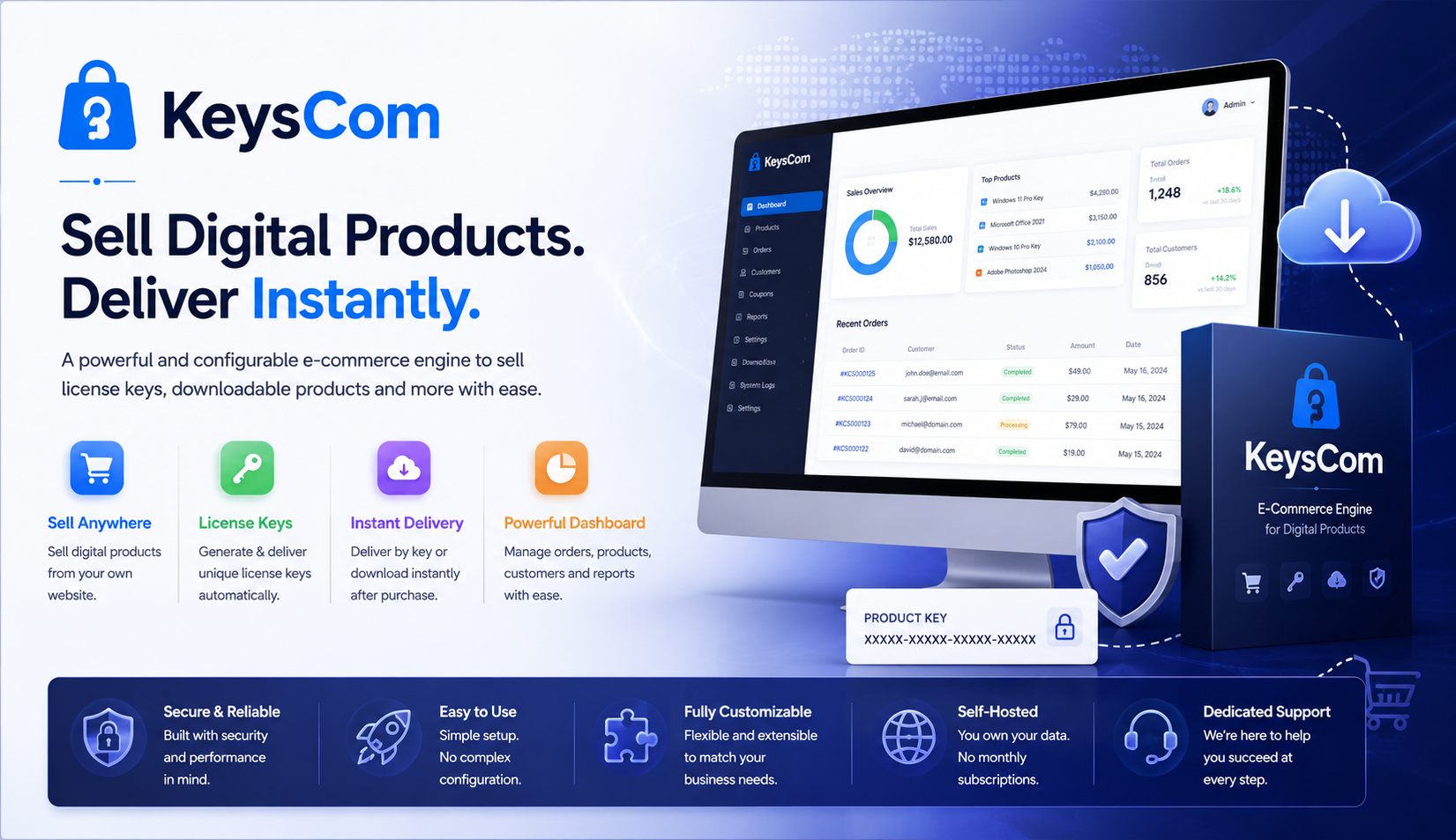
KeysCom is a self-hosted e-commerce engine purpose-built for selling digital products — software license keys, downloadable applications, themes and any other Deliver by Key or Deliver by Download product. Unlike heavyweight platforms designed around physical inventory, shipping and warehousing, KeysCom focuses on exactly what a digital seller needs: a clean catalog, a fast checkout, multiple payment gateways, an automated license-key delivery pipeline and a proper order-to-invoice lifecycle. It installs as a single self-contained service on Windows or Linux and runs on its own web server — no IIS, Nginx, Apache or external database server required to get started.
KeysCom is a self-hosted e-commerce engine purpose-built for selling digital products — software license keys, downloadable applications, themes and any other deliver-by-key or deliver-by-download product. Unlike heavyweight platforms designed around physical inventory, shipping and warehousing, KeysCom focuses on exactly what a digital seller needs: a clean catalog, a fast checkout, multiple payment gateways, an automated license-key delivery pipeline and a proper order-to-invoice lifecycle. It installs as a single self-contained service on Windows or Linux and runs on its own web server — no IIS, Nginx, Apache or external database server required to get started.
With server-side rendered pages, KeysCom is SEO-friendly out of the box: clean slug-based URLs, per-product meta titles and descriptions, and crawlable catalog pages. It is multi-language ready, so you can present your storefront in the languages your customers speak. It ships with SQLite so a store can be up and running in minutes with zero database administration, while the same store can be pointed at MySQL, PostgreSQL or SQL Server when you outgrow a single file.
The heart of KeysCom is its key-pool delivery system. You load license keys into pools, attach a pool to each product variant, and the moment an order is paid the engine atomically reserves an available key, marks it delivered, records it against the order for audit, and emails it to the customer using a per-pool label you control. Keys are never double-issued, even under simultaneous purchases, and every issuance is logged. Products that are download-only (themes, installers) work the same way without keys.
KeysCom follows the correct e-commerce financial flow that separates an order from an invoice. When a customer places an order they immediately receive an order confirmation. Only when payment actually clears — instantly for card and wallet gateways, or when an administrator marks a bank transfer as received — is a tax invoice issued, the keys delivered and the invoice emailed. This means asynchronous payment methods like bank transfer are handled cleanly, and your accounting always reflects money genuinely received.
A comprehensive admin back office lets you manage the entire operation from one place: catalog, categories, configurable products with version and tier options, images, downloads, key pools, orders, invoices, customers, payment transactions, a full country/state-aware tax engine, email templates with a live editor, and payment-method configuration. KeysCom is designed to be installed, branded and run by a single operator — and, once you are happy running your own store, to be handed to clients as their own installable digital-commerce product.
KeysCom brings together everything a digital-products seller needs in one self-hosted engine — catalog, checkout, payments, license delivery, tax and administration — without the weight of a general-purpose platform.
Key Features:
- Self-hosted single service — runs on Windows or Linux, no IIS/Nginx/Apache required
- Runs on its own web server; add public HTTP/HTTPS endpoints directly from the admin
- SQLite by default with zero database administration; MySQL, PostgreSQL and SQL Server supported
- SEO-friendly server-rendered pages with clean slug URLs and per-product meta tags
- Multi-language support to present your storefront in your customers’ languages
- Configurable products with version and tier options (e.g. 2025/2022/2019, Single/Multi/Unlimited)
- License key pools with automated, atomic, never-double-issued delivery
- Download-only products (themes, installers) alongside key-based products
- Five payment methods: Razorpay, PayPal, Stripe, Bank Transfer and Zero-Checkout
- PayPal Smart Buttons plus Advanced Card Fields; Stripe Hosted Checkout; Razorpay UPI/cards/netbanking
- Proper Order → Invoice lifecycle with yearly invoice numbering
- Country- and state-aware tax engine with multi-component tax (CGST/SGST/IGST, VAT, sales tax)
- Fully customizable email templates with a live WYSIWYG editor and preview
- Automated order and invoice emails with customizable per-pool key labels
- Complete admin back office: orders, invoices, customers, transactions and catalog
- First-run setup wizard — configure admin, store and currency in minutes
- Secure by design: encrypted secrets, signed payment webhooks, hashed admin credentials
- Lifetime updates
We keep improving KeysCom with new features, performance and security. Set it up once and enjoy the lifetime updates!
Product Catalog & Configurable Products
Organize your store into categories and sell simple single-price products or fully configurable ones. A configurable product carries option groups such as a version (2025 / 2022 / 2019) or a licensing tier (Single Domain / 5 Domains / Unlimited), and each option combination is a variant with its own SKU, price, download file and license-key pool. This mirrors how real software products are sold, with different editions at different prices from one clean product page.
License Key Pools & Automated Delivery
Load keys into named pools by pasting them in bulk or importing a CSV, then attach a pool to each variant. When an order is paid, KeysCom opens a transaction, reserves the next available key, marks it delivered, links it to the order for audit, and emails it to the customer. Because allocation is atomic, two simultaneous buyers can never receive the same key. Each pool has its own customizable label (for example “License Key” or “Activation Code”) that appears in the delivery email.
Multiple Payment Methods
Accept payments the way your customers prefer. KeysCom ships with Razorpay (ideal for India — UPI, cards, netbanking, wallets), PayPal (Smart Buttons plus optional Advanced Card Fields), Stripe (Hosted Checkout with Apple Pay / Google Pay), Bank Transfer for offline/manual settlement, and Zero-Checkout for free or fully-discounted orders. Every gateway sits behind a single provider abstraction, and payment confirmation is idempotent — browser return and server webhook can both fire without ever double-charging or double-delivering.
Order & Invoice Lifecycle
KeysCom separates the order from the invoice, exactly as proper e-commerce accounting requires. Placing an order sends an order-confirmation email immediately. The tax invoice is issued — and keys delivered — only when payment actually clears: instantly for online gateways, or when you mark a bank transfer as received in the admin. Invoices carry their own yearly sequential numbers and snapshot the line items and tax at the moment of issue.
Tax Engine
A flexible, jurisdiction-aware tax engine resolves the correct rate from the customer’s country and state against each product’s tax class, with priority-based rule matching. It supports multi-component taxes, so an Indian intrastate sale can show CGST and SGST as separate lines while an interstate sale shows a single IGST line, and the same engine handles VAT or sales-tax setups for other countries. Prices can be configured as tax-inclusive or tax-exclusive.
Email Templates
Every customer-facing email — order confirmation, invoice, and account emails — is a fully editable template. A built-in WYSIWYG HTML editor with live preview and token substitution (order number, customer name, keys and more) lets you brand each message. A one-click reset restores the shipped default at any time.
Admin Back Office
An accordion-organized admin groups everything logically: Catalog (categories, products, key pools), Sales (orders, invoices, customers, transactions), Marketing, Email and System settings. Orders can be searched and filtered by status, invoices resent, bank transfers marked paid, and payment transactions reviewed across every gateway from a single list.
Multi-Language Support
KeysCom is multi-language ready, letting you present your storefront in the languages your customers speak. Reach a wider audience by offering your catalog and customer-facing pages beyond a single language, all from the same store.
Endpoints & Self-Hosting
KeysCom runs as a Windows Service or Linux systemd unit on its own Kestrel web server. Listener endpoints — bind address, port, HTTP or HTTPS, certificate — are managed from the admin, so you can add a public HTTPS endpoint without editing configuration files. Sensible defaults get you running on port 7070 immediately after install.
Download & Install
Download the KeysCom package for your platform and extract it, or run the provided installer. KeysCom is a self-contained service — it does not require IIS, Nginx, Apache or a separate database server to run. On Windows it installs as a Windows Service; on Linux it runs as a systemd unit. The same binary works in both environments.
Access in localhost
Once installed, KeysCom starts on http://localhost:7070 by default. Open that address in your browser to begin. You can later place it behind a reverse proxy, or add public HTTP/HTTPS endpoints (with your own certificate) directly from the Admin » Endpoints menu — no configuration files to edit.
First-Run Setup Wizard
The very first time you browse to KeysCom it redirects you to a short setup wizard. In a few steps you will create your administrator account, name your store, choose your currency and set your default country. When you finish, the wizard writes your settings, seeds sensible defaults and takes you to the admin sign-in page. From then on the store boots straight to your storefront.
Choosing a Database
KeysCom ships ready to use SQLite — the database is a single file kept alongside the application, needs no separate server, and is backed up simply by copying it. This is ideal for most single-server stores. If you require MySQL, PostgreSQL or SQL Server, set the database provider and connection string before running the setup wizard; the choice is made once per installation.
Sign In to Admin
After setup, sign in at /admin/login using the administrator credentials you created. The admin back office is where you manage everything — catalog, key pools, orders, invoices, tax, payments and email. You can always change this admin URL from the settings page.
Configure Payment Methods
Open Admin » Payment Methods to enable and configure the gateways you want to accept. Each method has its own configuration page: paste your Razorpay, PayPal or Stripe API keys, or fill in your bank details for Bank Transfer. Start any gateway in its test/sandbox mode, run a test order, and switch to live keys once you are satisfied. You only need to enable the methods you actually intend to use.
Configure Email Delivery
Open Admin » Email Delivery and enter your SMTP details (host, port, security, username and password) so KeysCom can send order and invoice emails. Use the built-in “Send test email” button to confirm your settings before going live. If you are sending through Gmail or Microsoft 365, generate an app password for the account and paste it as the SMTP password.
Set Up Tax
Under Admin » Tax you can define tax classes and rates for the jurisdictions you sell in. Set your seller state so the engine can distinguish intrastate from interstate sales where applicable, assign a tax class to each product, and the correct tax — including split components such as CGST/SGST or IGST — is applied automatically at checkout.
Build Your Catalog
Create your categories, then add products. For each product choose whether it is a simple single-price item or a configurable one with version/tier variants, upload images and download files, and attach a license-key pool to any variant that needs to deliver keys. Load keys into your pools by pasting them in bulk or importing a CSV. Your store is now ready to take orders.
Go Live
When you are ready for production, add a public HTTPS endpoint with your certificate from Admin » Endpoints, switch your payment gateways to live keys, and point your domain at the server. For online gateways, configure the payment webhook URL in each provider’s dashboard so payment confirmations are captured reliably even if a customer closes their browser.
What is KeysCom and who is it for?
KeysCom is a self-hosted e-commerce engine built specifically for selling digital products — software license keys, downloadable applications and themes. It is for anyone who wants a focused, fast, own-your-data store without the weight of a general-purpose platform designed around physical shipping and inventory.
What are the server and OS requirements?
KeysCom is a self-hosted web application that runs as a service on Windows or Linux. It does not need IIS, Nginx, Apache or a separate database server to get started, and modest hardware is sufficient for a typical store.
Do I need to install a database server?
No. KeysCom uses SQLite by default — the database is a single file stored alongside the application, with no server to install, secure or maintain. Backing up your store is as simple as copying that file. If you prefer, you can point KeysCom at MySQL, PostgreSQL or SQL Server instead.
Can I switch databases later?
The database is chosen once per installation. You select SQLite, MySQL, PostgreSQL or SQL Server up front, and that installation uses it for its lifetime. This keeps operations simple and avoids risky mid-life data migrations.
Which payment methods are supported?
KeysCom ships with five methods: Razorpay (UPI, cards, netbanking and wallets), PayPal (Smart Buttons plus optional Advanced Card Fields), Stripe (Hosted Checkout with Apple Pay and Google Pay), Bank Transfer for manual/offline settlement, and Zero-Checkout for free or fully-discounted orders. You enable only the ones you want.
How does license-key delivery work?
You load license keys into pools and attach a pool to each product variant. When an order is paid, KeysCom automatically reserves an available key from the pool, marks it delivered, records it against the order, and emails it to the customer. The whole allocation is atomic, so the same key can never be issued twice — even if two customers buy at the same instant.
Can I sell download-only products without keys?
Yes. Products such as themes or installers can be delivered as downloads without any license key. A single product can even mix key-based and download-only variants.
What is the difference between an order and an invoice?
An order is the customer’s purchase intent and is confirmed by an order email as soon as it is placed. An invoice is the financial document issued only when payment actually clears. For online gateways this happens instantly; for bank transfers it happens when you mark the payment as received in the admin. Keys are delivered at the moment the invoice is issued, so your accounts always reflect money genuinely received.
How are bank-transfer orders handled?
When a customer chooses Bank Transfer they receive an order confirmation with your bank details and their order reference. The order stays pending until the funds arrive. You then open the order in the admin and mark it as paid, which issues the invoice, delivers the keys and sends the invoice email — all in one action.
Does KeysCom handle taxes like GST or VAT?
Yes. A country- and state-aware tax engine applies the correct rate based on the customer’s address and each product’s tax class. It supports multi-component taxes, so Indian intrastate sales can show CGST and SGST separately and interstate sales show IGST, while VAT and sales-tax setups for other countries are equally supported. Prices can be tax-inclusive or tax-exclusive.
Can I customize the emails customers receive?
All customer emails — order confirmation, invoice and account emails — are fully editable templates. A built-in WYSIWYG editor with live preview lets you brand them and insert tokens such as the order number, customer name and delivered keys. A one-click reset restores the original template whenever you need it.
Is KeysCom SEO-friendly?
Yes. Pages are rendered on the server with clean, slug-based URLs and per-product meta titles and descriptions, so your catalog is fully crawlable by search engines out of the box.
Does KeysCom support multiple languages?
Yes. KeysCom is multi-language ready, so you can present your storefront and customer-facing pages in the languages your customers speak and reach a wider audience from a single store.
How do I run KeysCom over HTTPS on a public domain?
KeysCom runs on its own web server and lets you manage listener endpoints from the admin. Add a public HTTPS endpoint with your certificate under Admin » Endpoints, point your domain at the server, and you are live — no configuration-file editing required. You can also place it behind a reverse proxy if you prefer.
Is it secure?
KeysCom is built with security in mind: administrator passwords are securely hashed, sensitive settings such as API keys are encrypted at rest, and payment webhooks are cryptographically verified so only genuine gateway notifications are accepted. Payment confirmation is idempotent, preventing any double-processing.
Do I get updates?
Yes — KeysCom includes lifetime updates. We continuously improve the engine with new features, performance gains and security enhancements.
Version 2.3 — June 2026
- Added Stripe Hosted Checkout as a payment method, with Apple Pay and Google Pay support
- Payment confirmation is now fully idempotent across browser return and server webhooks — no risk of double-processing
- New Transactions screen listing every payment across all gateways, filterable by provider
- Improved webhook signature verification for all online gateways
- Performance and stability improvements across the admin back office
Version 2.2 — May 2026
- Added PayPal payments with Smart Payment Buttons and optional Advanced Card Fields
- Unified all payment gateways behind a single, consistent configuration experience
- Each payment method now has its own dedicated settings page with enable/disable and test-mode support
- Added a Payment Methods overview showing the status of every gateway at a glance
- Various checkout refinements and validation fixes
Version 2.1 — April 2026
- Introduced the Order → Invoice lifecycle: order confirmation on placement, tax invoice on payment
- Invoices now carry their own yearly sequential numbers and snapshot line items and tax at issue time
- Bank Transfer orders can be marked as paid from the admin, which issues the invoice and delivers keys
- Added Orders, Invoices and Customers screens in the admin with search and status filtering
- Added Resend Invoice Email action for completed orders
Version 2.0 — March 2026
- Fully customizable email templates with a built-in WYSIWYG editor, live preview and one-click reset
- Automated order and invoice emails with per-pool key labels
- Redesigned admin back office with an organized, grouped navigation
- Added Zero-Checkout for free and fully-discounted orders
- Multi-language support for the storefront and customer-facing pages
Version 1.5 — February 2026
- Added Razorpay payments (UPI, cards, netbanking and wallets)
- Automated license-key delivery: keys are atomically reserved, delivered and emailed on payment
- Introduced key pools with bulk paste and CSV import, plus customizable per-pool key labels
- Added SMTP email delivery with a built-in test-email tool
- Order confirmation emails for every purchase
Version 1.4 — January 2026
- Added shopping cart and a streamlined single-page checkout
- New country- and state-aware tax engine with multi-component tax support (CGST/SGST/IGST, VAT, sales tax)
- Tax classes and rates are now fully configurable per jurisdiction
- Prices can be configured as tax-inclusive or tax-exclusive
Version 1.3 — December 2025
- Launched the customer-facing storefront: home, category, product detail and search pages
- SEO-friendly server-rendered pages with clean slug-based URLs and per-product meta tags
- Product image galleries with primary-image selection and reordering
- Responsive storefront layout for desktop and mobile
Version 1.2 — December 2025
- Added configurable products with version and tier options and per-variant SKUs, prices and downloads
- Product downloads management for delivering installers and theme files
- Category management with hierarchy and SEO fields
- Bulk key import and improved catalog administration
Version 1.1 — November 2025
- First-run setup wizard for configuring the administrator, store and currency
- Admin sign-in with secure, hashed credentials
- Manageable listener endpoints (bind address, port, HTTP/HTTPS and certificate) from the admin
- Encrypted storage for sensitive settings
Version 1.0 — November 2025
- Initial release of KeysCom — a self-hosted engine for selling digital products and delivering license keys
- Runs as a self-contained service on Windows or Linux, on its own web server
- SQLite by default with zero database administration; MySQL, PostgreSQL and SQL Server supported
- Core catalog foundation with products, variants and license keys